

Most people think a laptop that’s thin and quiet must be underpowered. But Apple’s MacBook lineup proves that’s not true. The secret isn’t just faster chips-it’s how heat is handled. Thermal design in MacBook isn’t an afterthought. It’s the foundation of everything from the silent fanless Air to the powerful, whisper-quiet Pro. And it’s why these laptops stay cool, quiet, and usable-even when you’re pushing them hard.
The Fanless MacBook Air: Silence by Design
The MacBook Air with M2 and M4 chips doesn’t have a fan. That’s not a cost-cutting move. It’s a deliberate engineering choice. Apple removed the fan to make the laptop thinner, lighter, and completely silent. But without a fan, heat has nowhere to go except into the aluminum body. And that’s exactly what happens.The entire chassis acts like a giant heatsink. The M2 and M4 chips are mounted directly to a thin layer of thermal material that spreads heat across the whole logic board. Unlike older designs that used a small heat sink over just the chip, this new approach lets heat travel farther and cool more evenly. The aluminum case absorbs that heat and releases it slowly into the air around you.
But there’s a trade-off. When you run something intense-like editing 4K video or rendering a 3D model-the chip gets hot. Really hot. Benchmarks show the M2 MacBook Air’s CPU can hit over 100°C in the first few minutes. That sounds scary, but it’s normal. Apple doesn’t see this as a problem. Instead, it lets the chip slow itself down. After three to five minutes, the temperature drops to around 85°C. The chip isn’t broken. It’s just being smart. It reduces power to stay within safe limits. You won’t notice the slowdown in daily use because most tasks don’t push the chip nonstop.
And here’s the kicker: even though the M2 chip runs hotter than the M1, the M1 Air’s chassis was actually slightly warmer during heavy use. Why? Because the M2’s heat spread design works better. It doesn’t trap heat in one spot. It lets it breathe across the whole body. That’s why you don’t feel a hot spot on your lap.
The MacBook Pro: Heat Pipes and Dual Fans
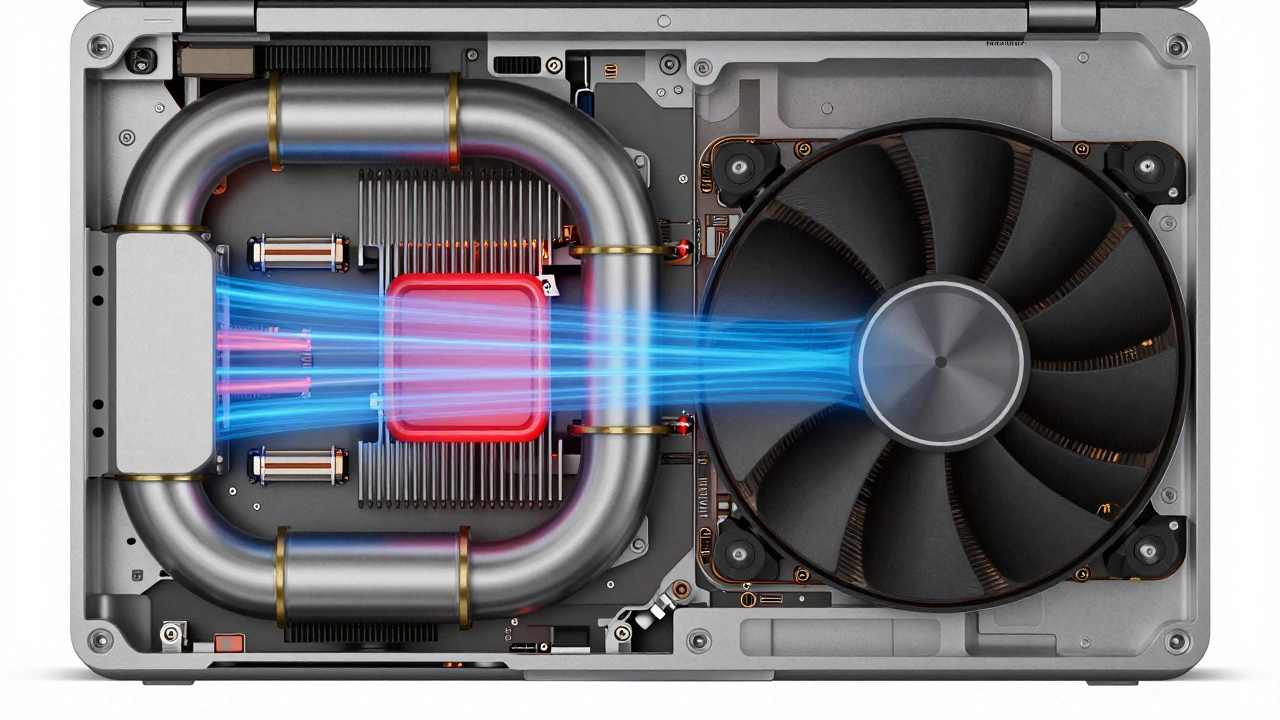
If you need more power-like for video editing, coding, or gaming-the MacBook Pro is where you go. And it’s built differently. The 14-inch and 16-inch Pro models use dual heat pipes and two fans. These aren’t just small fans. They’re precision-engineered to move air quietly while handling serious heat.Heat pipes are hollow tubes filled with liquid that turns to vapor when hot. As the vapor moves to the cooler end of the pipe, it condenses back to liquid and flows back. It’s a silent, efficient way to move heat from the CPU to the fans. The M3 Pro models improved this even more by rerouting the heat pipes to better connect with the fans. This means heat gets pulled away faster, and the fans don’t have to spin as hard.
Under heavy load, the M3 14-inch Pro’s CPU can hit 98°C. That’s hot, but it’s stable. Unlike the Air, the Pro doesn’t throttle performance as much. It keeps the chip running near full speed because the cooling system can handle it. The fans spin up to 7,200 RPM during sustained workloads, but they don’t scream. Apple tuned them to ramp up slowly. You’ll hear a soft hum, not a jet engine.
And here’s something most people don’t realize: the 14-inch Pro’s fans kick in earlier than older models. Temperatures as low as 107-108°C trigger fan activity. That’s not a flaw-it’s a feature. By starting cooling sooner, the system avoids sudden spikes in noise. It’s like driving a car with cruise control: smooth, steady, and quiet.
Why Thermal Paste Used to Be a Problem
This isn’t the first time Apple’s thermal design faced criticism. Back in 2013, a lot of MacBook Pro users noticed their laptops throttling-slowing down-during simple tasks like video encoding. The problem wasn’t the chip. It was the thermal paste.Apple’s manufacturer at the time used a cheap, thick paste that didn’t transfer heat well. It dried out, cracked, and lost efficiency over time. The CPU would overheat, drop its speed, and users thought their laptops were broken. Many took them apart and replaced the paste with high-quality alternatives. Suddenly, performance returned to normal.
That mistake taught Apple a lesson. Today, thermal materials are rigorously tested. Apple doesn’t just pick any paste. It uses custom-formulated compounds with high thermal conductivity, designed to last the life of the device. And it’s not just about the paste. The entire interface between the chip and the heatsink is engineered for maximum contact. No gaps. No air pockets. Just direct, efficient heat transfer.
The Aluminum Body Isn’t Just Pretty-It’s Functional
You’ve seen the MacBook’s aluminum shell. Sleek. Smooth. Premium. But it’s not just for looks. The entire unibody chassis is part of the cooling system. That’s why you can’t just slap on a laptop cooling pad and expect miracles. The MacBook doesn’t need it.The aluminum conducts heat better than plastic or magnesium alloys used in other laptops. It’s also thick enough to absorb and store heat without warping. When the chip heats up, the aluminum soaks it in like a sponge. Then it releases it slowly into the air. This passive cooling is why MacBooks don’t need giant vents on the sides or back.
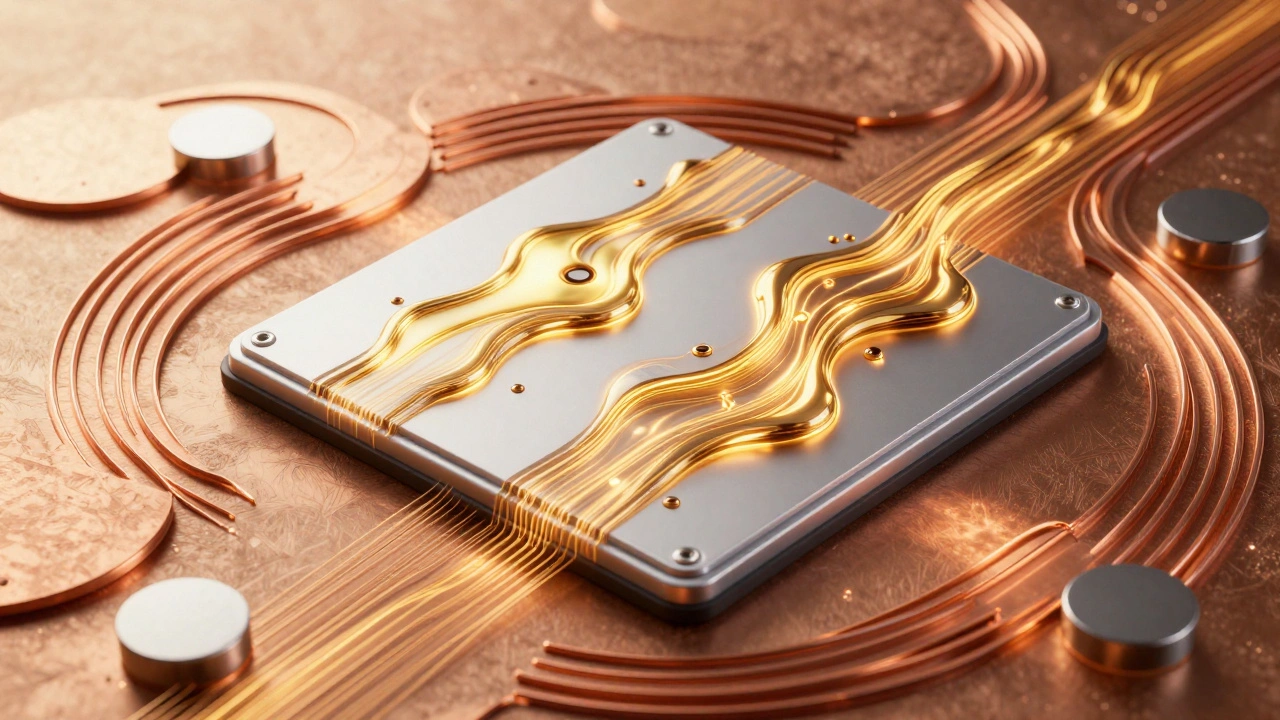
And Apple’s making it even greener. The M4 MacBook Air uses 100% recycled aluminum for the body and trackpad. The thermal sheet inside? Also made from 100% recycled copper. Even the magnets in the MagSafe connector use recycled cobalt. Thermal design isn’t just about performance-it’s tied to sustainability.
Real-World Usage vs. Stress Tests
A lot of reviews test MacBooks by running 100% CPU load for 20 minutes. That’s not how people use laptops. Most of us switch between apps, type, browse, pause for coffee, and take breaks. Even video editors don’t render continuously for hours. The thermal system is designed for this rhythm-not constant overload.When you’re typing, the chip runs at 5-10% power. When you open a video, it jumps to 50%. Then it drops again. That breathing room lets the heat dissipate naturally. The MacBook’s cooling system is built for this pattern. It doesn’t need to be at peak capacity all the time.
That’s why a MacBook Air with M4 feels perfectly cool during a 4-hour workday. It’s why a MacBook Pro with M3 stays quiet during a 2-hour Zoom call with screen sharing. The system isn’t designed to win a benchmark race. It’s designed to work flawlessly in real life.
Thermal Design as a Core Philosophy
Apple doesn’t treat thermal management as a separate engineering problem. It’s woven into the whole product. The chip design, the heat pipes, the fan speed curves, the aluminum body, even the battery placement-all of it works together.Compare that to other laptops. Many use big fans and thick vents to force air through the system. They’re loud. They’re bulky. They need to be. Apple’s approach is the opposite: use less energy, spread heat smarter, and let the materials do the work. The result? A laptop that’s thin, quiet, and powerful-all at once.
That’s why the MacBook Air, with no fan, can still handle everyday tasks without a single complaint. And why the MacBook Pro, with dual fans, can run professional software without ever sounding like a vacuum cleaner. It’s not magic. It’s thermal design done right.
Why doesn’t the MacBook Air have a fan?
The MacBook Air doesn’t have a fan because Apple designed it to rely on passive cooling. The entire aluminum body acts as a heatsink, spreading heat evenly across the chassis. This allows for a thinner, lighter, and completely silent design. The M2 and M4 chips are efficient enough that they don’t need active cooling for everyday tasks. Under heavy load, the chip reduces its power to stay cool, which is a deliberate trade-off for portability and silence.
Is it normal for my MacBook Air to get hot?
Yes, it’s normal. The CPU can reach over 100°C under sustained load, especially during video editing or 3D rendering. But this doesn’t mean the laptop is malfunctioning. Apple’s thermal design allows the chip to throttle performance to avoid damage. After a few minutes, temperatures stabilize around 85°C. The chassis may feel warm, but it’s designed to absorb and release heat safely. If your laptop feels uncomfortably hot or shuts down unexpectedly, that’s a sign of a problem.
Do MacBook Pros overheat compared to other laptops?
No, MacBook Pros are designed to handle heat better than most competitors. The dual heat pipes and dual fans move heat away from the CPU faster than single-fan designs. Even under heavy load, temperatures stay within safe limits. In tests, the M3 MacBook Pro runs cooler and quieter than similarly powerful Windows laptops with one fan and thicker vents. Apple’s focus on material efficiency and heat pipe routing gives it an edge in thermal performance.
Can I upgrade the thermal paste in my MacBook?
Technically, yes-but Apple doesn’t recommend it. Modern MacBooks use custom thermal materials that are applied under pressure and calibrated for the exact chip and chassis. Opening the device risks damaging internal components or voiding warranty. Unlike older Intel models (like the 2013 MacBook Pro), today’s M-series MacBooks don’t suffer from poor thermal paste. The factory materials are optimized and long-lasting. Unless you’re experiencing thermal throttling under light loads, upgrading isn’t necessary or beneficial.
Why does my MacBook Pro fan turn on so early now?
Apple changed the fan curve in M3 and later models to start cooling sooner. Instead of waiting until the chip hits 100°C, the fans begin spinning at around 107-108°C. This prevents sudden temperature spikes and keeps noise levels low. It’s a subtle change, but it makes the experience smoother. You’ll notice the fan starts earlier, but it spins more slowly at first. The result? Quieter operation overall, even under heavy workloads.
What’s Next for MacBook Thermal Design?
Apple isn’t done. Every new chip brings better efficiency. Every new MacBook refines the heat pipes, fan tuning, and thermal materials. The goal isn’t to make laptops run hotter. It’s to make them run smarter. The future will likely bring even thinner designs, more recycled materials, and tighter integration between chip and cooling. But the core idea stays the same: performance shouldn’t mean noise. Power shouldn’t mean bulk. And quiet doesn’t mean weak.
Categories
Popular Articles