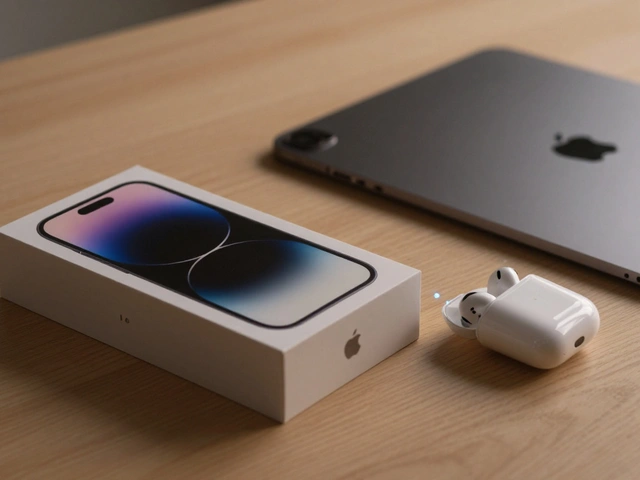

Most product teams believe that success comes from adding more features. They think users want every possible tool, setting, and button available at their fingertips. Apple, however, operates on a completely different philosophy: a design process that deliberately eliminates features to improve user outcomes by reducing complexity and increasing focus. This approach isn't just about making things look pretty; it is a rigorous method of subtraction that shapes how we interact with technology every day.
This strategy was defined early in the modern era by Steve Jobs, who famously stated that "innovation is saying no to 1,000 things." By removing distractions, Apple aims to lower cognitive load, reduce error rates, and create intuitive experiences. But how does this work in practice? And does stripping away functionality actually help users, or does it frustrate them?
The Core Philosophy: Subtraction as Innovation
At its heart, Apple's design methodology treats simplicity not as a lack of features, but as a result of intense refinement. When you remove unnecessary elements, you force the remaining components to be perfect. This concept aligns closely with Hick's Law, which states that the time it takes to make a decision increases logarithmically with the number of choices presented to a user.
If you have ten buttons on a screen, users hesitate. If you have one clear action, they act. Apple applies this principle aggressively. Instead of asking "What else can we add?" designers ask "What can we remove without breaking the core experience?" This shift in perspective turns feature elimination into a primary lever for improving usability.
The goal is to reduce Cognitive Load, defined as the total amount of mental effort being used in the working memory. When users don't have to think about where a button is or how to configure a setting, they can focus on their actual task-whether that's sending an email, taking a photo, or editing a video.
The "10 to 3 to 1" Selection Funnel
How do you decide what to cut? Apple uses a structured internal process often referred to as the "10 to 3 to 1" rule. This isn't just a casual guideline; it is a formalized funnel for concept selection.
- Ideate (10): Teams generate roughly ten different directions or solutions for a specific problem. This ensures broad exploration and prevents early fixation on a single idea.
- Narrow (3): Through prototyping and internal review, those ten ideas are whittled down to three strong candidates. Each candidate must clearly solve the user's problem better than the others.
- Converge (1): Finally, only one approach is chosen for development. The other two are discarded, even if they were good ideas.
This process was described in detail by Ken Kocienda in his memoir, Creative Selection. He explains that during the development of the original iPhone keyboard, dozens of layouts were tested. Prototypes with extra keys, explicit mode toggles, and multi-row configurations were built and then culled because they slowed typing speeds or confused test users. Only after eliminating these features did users achieve acceptable performance.
The key insight here is that elimination is an active, creative process. It requires building something just to destroy it, ensuring that what remains is truly essential.
Hardware Elimination: Real-World Case Studies
Feature elimination isn't limited to software interfaces. Apple has repeatedly removed physical hardware components to simplify the user experience, even when it faced significant backlash.
| Product / Year | Feature Removed | User Outcome Goal | Result / Trade-off |
|---|---|---|---|
| iMac G3 (1998) | Floppy Drive & Legacy Ports | Accelerate USB adoption; simplify connections | Initial criticism, but faster peripheral setup and fewer compatibility issues long-term |
| iPhone (2007) | Physical Keyboard & Stylus | Lower learning curve; maximize screen real estate | Rapid consumer adoption; capacitive touch became industry standard |
| iPhone 7 (2016) | 3.5mm Headphone Jack | Enable water resistance; promote wireless audio | Short-term frustration; long-term surge in AirPods sales and wireless convenience |
| MacBook Pro (2016) | HDMI, USB-A, MagSafe | Reduce thickness; unify ports via Thunderbolt 3 | Thinner device; increased reliance on dongles caused workflow friction for pros |
Take the iMac G3, launched in 1998. By removing the floppy drive and serial ports, Apple forced users to adopt USB. At the time, this seemed radical and inconvenient. However, it eliminated the confusion of multiple port types and manual configuration steps. Users benefited from plug-and-play simplicity, and the ecosystem moved forward faster.
Similarly, the removal of the headphone jack in the iPhone 7 was controversial. Critics argued it destroyed compatibility with existing wired headphones. Yet, from a user outcome perspective, it reduced cable clutter, improved water resistance (IP67 rating), and pushed the market toward wireless freedom. While the transition was painful for some, the long-term user experience improved through seamless integration with AirPods.
Software Simplification: UI and Cognitive Flow
In software, elimination manifests as cleaner interfaces and hidden complexity. A prime example is the redesign of iOS in version 7 (2013). Under the leadership of Jony Ive, Apple removed skeuomorphic textures-like leather stitching in the Calendar app or green felt in the Cards game.
This wasn't just aesthetic. Skeuomorphism served as a tutorial for new users, showing them what objects were clickable. Once users understood digital metaphors, those textures became visual noise. By flattening the interface, Apple elevated content over chrome. Text became easier to read, icons were clearer, and the overall cognitive load dropped.
Apple also hides advanced options behind simple gestures. For instance, long-pressing an app icon reveals context menus, while swiping from the edge triggers navigation. These interactions keep the primary screen uncluttered. As noted in Apple's Human Interface Guidelines (HIG), developers should "defer to content" and avoid exposing implementation details unless necessary.
This approach respects Hick's Law again: fewer visible choices mean faster decisions. Power users might miss granular settings, but the majority of users benefit from a streamlined path to completion.
The Risks of Over-Elimination
Eliminating features isn't always successful. Sometimes, subtraction goes too far, harming discoverability and reliability. Don Norman, co-author of The Design of Everyday Things, has criticized Apple for pursuing visual simplicity at the expense of clear affordances. When you remove labels or buttons, users may not know what actions are possible.
A notable failure case is the "butterfly" keyboard introduced in the 2015 MacBook and later models. Apple eliminated key travel to achieve a thinner profile. The result? Keys stuck, repeated characters randomly, and failed frequently. Users complained about comfort and reliability. Apple eventually issued repair programs and returned to scissor-switch mechanisms in 2019. This illustrates that eliminating mechanical parts can degrade user experience if the replacement isn't robust.
Another risk is alienating power users. Professionals often rely on specific ports or shortcuts. Removing HDMI from MacBooks forced many to carry dongles, disrupting workflows. While the average consumer didn't notice, experts felt the pain. Apple balances this by catering primarily to the mainstream, assuming that most users prioritize ease over customization.

Why This Works: Integrated Control
Apple's ability to eliminate features stems from its integrated business model. Unlike Android manufacturers, who must support diverse hardware and third-party apps, Apple controls both hardware and software. This allows for tight optimization.
For example, removing the Home button required replacing it with gesture navigation and Face ID. Apple could do this because it designed the TrueDepth camera system, the A-series chips, and the iOS operating system together. Competitors lacked this vertical integration, making similar eliminations risky or impossible.
This top-down editorial control enables Apple to say "no" consistently. As Ben Thompson of Stratechery notes, Apple focuses on quality and coherence rather than accumulating features through data-driven experimentation. This discipline creates products that feel cohesive and reliable.
Lessons for Other Designers
You don't need Apple's budget to apply these principles. Here are practical takeaways for your own projects:
- Start with feelings: Ask "What should this feel like in someone's hands?" Focus on the emotional response and primary job-to-be-done, not just feature lists.
- Use the 10-3-1 funnel: Generate many ideas, then ruthlessly narrow them down. Don't ship everything you build.
- Make elimination explicit: Create a "cut list" before development freezes. Review each feature and ask if it's truly essential.
- Test subtraction: Prototype versions with fewer features. Observe if users still complete tasks efficiently. If they struggle, add back only what's needed.
- Respect Hick's Law: Limit visible choices. Hide advanced options behind gestures or secondary screens to keep primary flows clean.
By embracing subtraction, you can create products that are not only simpler but also more powerful. Because when users aren't distracted by complexity, they can finally get things done.
What is the "10 to 3 to 1" rule in Apple's design process?
The "10 to 3 to 1" rule is a concept selection funnel used by Apple designers. They start by generating approximately 10 different directions for a problem, narrow those down to 3 strong candidates through prototyping and review, and finally converge on 1 solution to ship. This ensures rigorous filtering and prevents feature bloat.
How does feature elimination improve user outcomes?
Feature elimination reduces cognitive load and decision fatigue. By removing non-essential options, users face fewer choices, leading to faster task completion, lower error rates, and a more intuitive experience. It aligns with Hick's Law, which states that decision time increases with the number of choices.
Did removing the headphone jack actually help users?
Initially, it caused frustration due to incompatibility with wired headphones. However, long-term outcomes included improved water resistance, reduced cable clutter, and accelerated adoption of wireless audio technologies like AirPods. For the majority of users, the convenience of wireless connectivity outweighed the initial inconvenience.
What are the risks of Apple's elimination strategy?
Risks include reduced discoverability (users don't know what actions are possible) and decreased reliability if mechanical parts are removed poorly (e.g., the butterfly keyboard). It can also alienate power users who rely on specific ports or granular settings, forcing them to use adapters or workarounds.
How can other companies apply Apple's design philosophy?
Companies can apply this philosophy by focusing on primary user jobs, using structured funnels like "10 to 3 to 1" to filter ideas, explicitly reviewing features for necessity before launch, and testing prototypes with fewer elements to ensure clarity. The key is prioritizing user flow over feature accumulation.